FreeCAD offers a rich ecosystem of learning materials, ranging from the official documentation wiki to an increasing number of high-quality books. The official documentation is always free and up-to-date, while books provide structured, guided learning paths—especially valuable since FreeCAD’s recent 1.0 release has stabilized the core workflow.
Here’s a brief overview of the key resources to help you navigate them effectively.
📚 Official Documentation: The Foundation
The FreeCAD Documentation Wiki is the authoritative, community-maintained knowledge base. It’s comprehensive and freely available.
| Resource | Best For | Key Contents |
|---|---|---|
| Online Help TOC | All users – your primary entry point | Complete table of contents covering installation, all workbenches, commands, and FAQs. |
| Manual | Beginners wanting a linear, book-like introduction | Gentle introduction to FreeCAD concepts, workflows, and key workbenches. Available as PDF/e-book. |
| User Hub | General users | Workbench documentation, tutorials, and application guides. |
| Power Users Hub | Those interested in Python scripting | Macros, scripting tutorials, and customization guides. |
| Developer Hub | Programmers and contributors | Compiling instructions, source code structure, and API documentation. |
📖 Books: Structured Learning Paths
Books provide curated, step-by-step instruction. The table below highlights notable titles, with emphasis on those covering FreeCAD 1.0—the first stable release that resolves many long-standing workflow issues.
| Title | Author(s) | Year | Focus / Specialty | Page Count |
|---|---|---|---|---|
| FreeCAD 1.0: A Power Guide for Beginners and Intermediate Users | Sandeep Dogra | 2025 | General mechanical design, Sketcher, Part Design, Assembly, TechDraw. Includes QR codes linking to video tutorials. | 486 |
| FreeCAD 1.0 Black Book (Colored) | Gaurav Verma, Matt Weber | 2025 | Comprehensive – covers Sketcher, Part Design, CAM, FEM, Sheet Metal, CFD, Assembly. Extensive illustrations (2100+). | 910 |
| FreeCAD 1.0.2 User Guide | Clarissa Carr | 2026 | Parametric design philosophy – focuses on building stable, editable models and avoiding broken references. Manufacturing-focused. | ~170 |
| FreeCAD 0.21: A Power Guide for Beginners and Intermediate Users | Sandeep Dogra | 2024 | General mechanical design (Sketcher, Part Design, A2plus Assembly, TechDraw). Good for learning fundamentals even with older version. | 454 |
| FreeCAD Beginner’s Starter Kit | Aleksander Sadowski | 2023 | Project-based learning – guides you from idea to 3D printable model using Part Design, Sketcher, and A2plus. | — |
| FreeCAD for Makers | Jo Hinchliffe | 2022 | Free PDF guide – covers basics to advanced topics including parametric design, sheet metal, and workbench extensions. | — |
| FreeCAD for architectural drawing | Allan Brito | 2020 | Architectural technical drawings – creating floor plans with dimensions, annotations, and title blocks. | — |
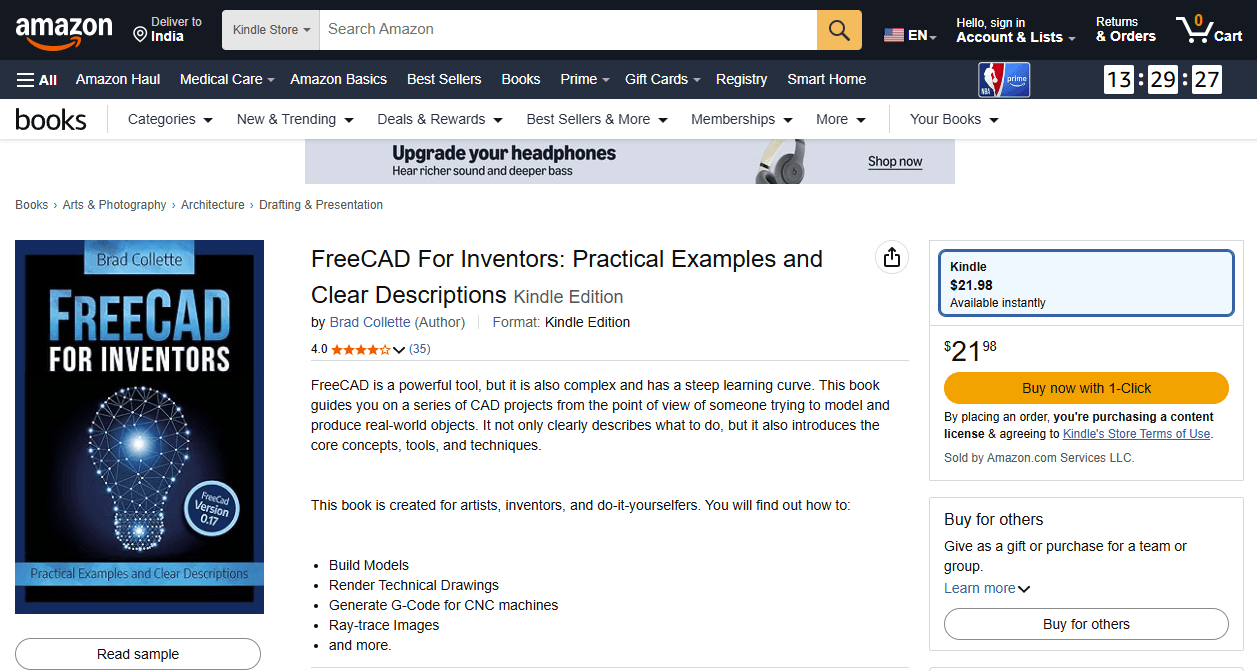
| FreeCAD for Inventors | Brad Collette | 2018 | Intermediate techniques – modeling examples plus generating technical drawings, G-code, and ray-traced images. | — |
| FreeCAD How-to | Daniel Falck, Brad Collette | 2012 | Python scripting and automation – introduces major workbenches and macro programming. | — |
💡 Choosing What to Use
Given your interest in mechanical CAD services, here’s how to prioritize:
-
Start with the FreeCAD Manual and User Hub to understand core concepts and workbench purposes.
-
For structured, comprehensive learning, the FreeCAD 1.0 Black Book offers exceptional depth (910 pages covering CAM, FEM, and Sheet Metal). The Power Guide is another excellent 1.0 option with video integration.
-
For practical manufacturing workflows, the User Guide specifically addresses creating stable, editable models for production.
-
For specialized needs, consult domain-specific books (architecture, makers, etc.).
-
Always cross-reference with the wiki for the latest updates and workbench changes.
- FreeCAD Manual: https://wiki.freecad.org/Manual:Introduction
- Parametric Modeling with FreeCAD: https://github.com/FreeCAD/FreeCAD-manual
“Thank you for reading! If you found this article insightful and valuable, consider sharing it with your friends and followers on social media. Your share can help others discover this content too. Let’s spread knowledge together. Your support is greatly appreciated!”

My FreeCAD Projects at Amount of Coffee-: