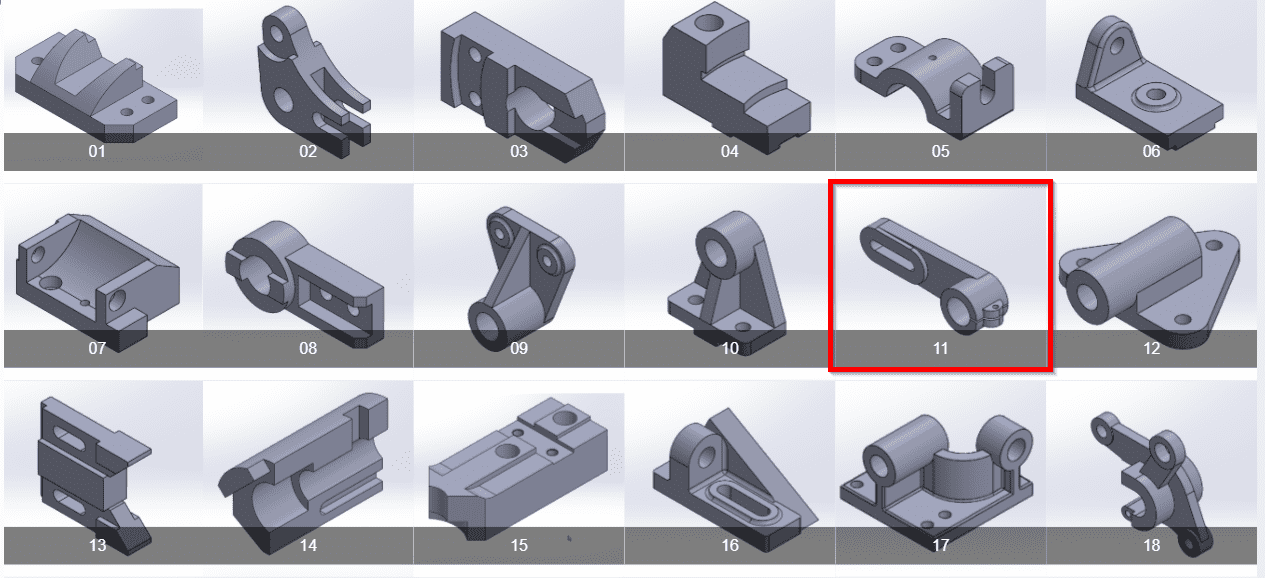
 Hello friends welcome to SolidWorks Part Modeling tutorial. In this tutorial we will do modeling of Anchor Bracket in SolidWorks. You can download all Tutorial Source File from my Ko-Fi Store. If you want to learn SolidWorks from scratch you can buy my SolidWorks Complete Course on Udemy. You can download this tutorial Source file with my SolidWorks Part Library Serial No.11 from link SolidWorks 3D Model Library. As sown in below image. once you click on image you will directed to Google drive folder where you will get SolidWorks Model and it’s 2D Drawing. You must have at least SW 2020 version or higher than SW 2020.
  Also Read-:
| Model Arm Bracket in SolidWorks |
| Model Control Bracket in SolidWorks |
| Model Idler Lever in SolidWorks |
Follow Below Steps Model Anchor Bracket in SolidWorks-:
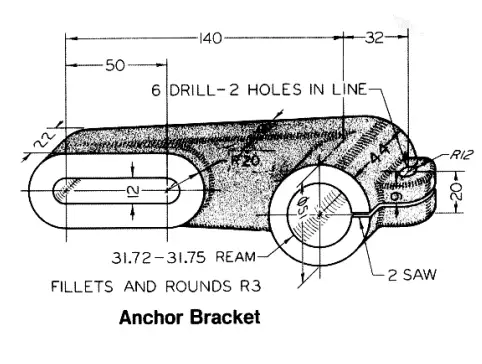
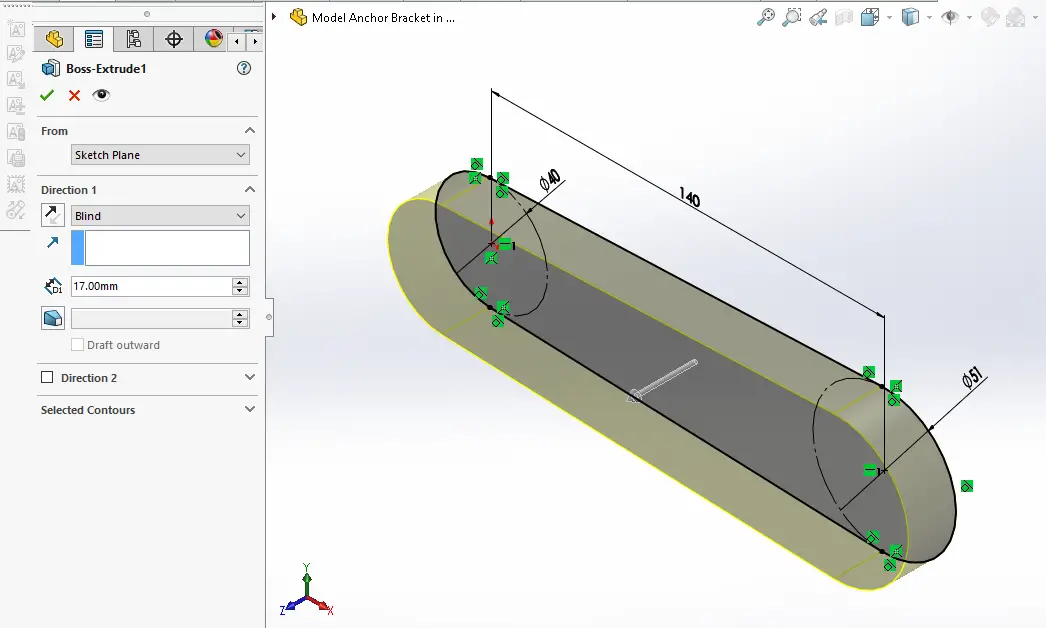
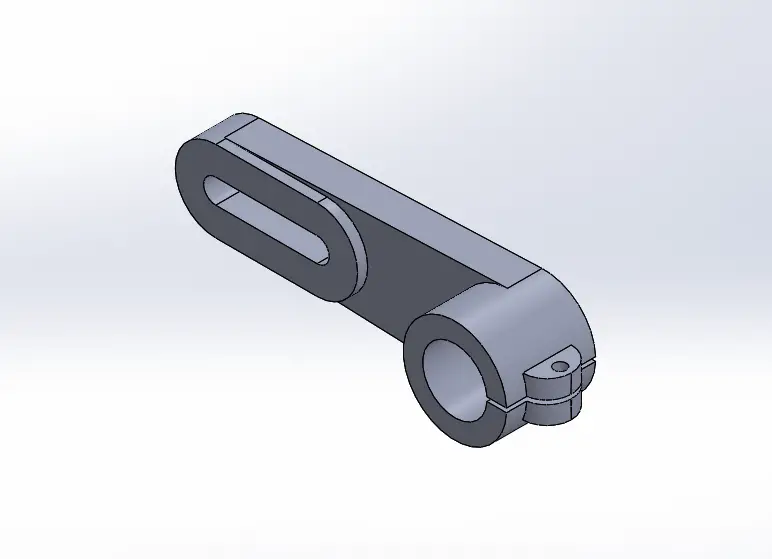 Select the front plane and create below sketch.
 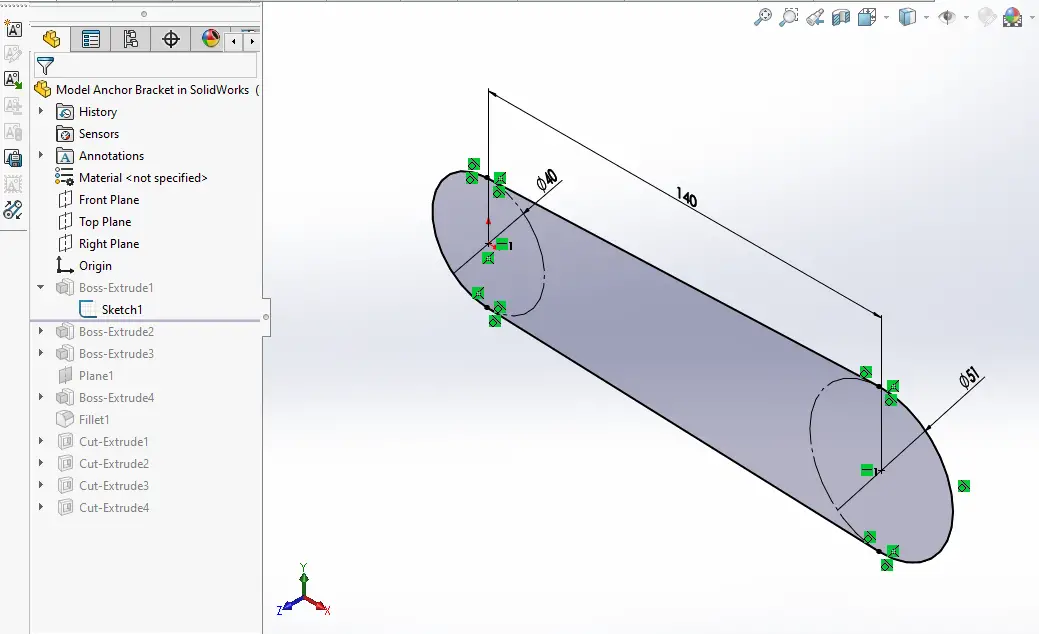 Now create Pad of 17mm As shown in below image.
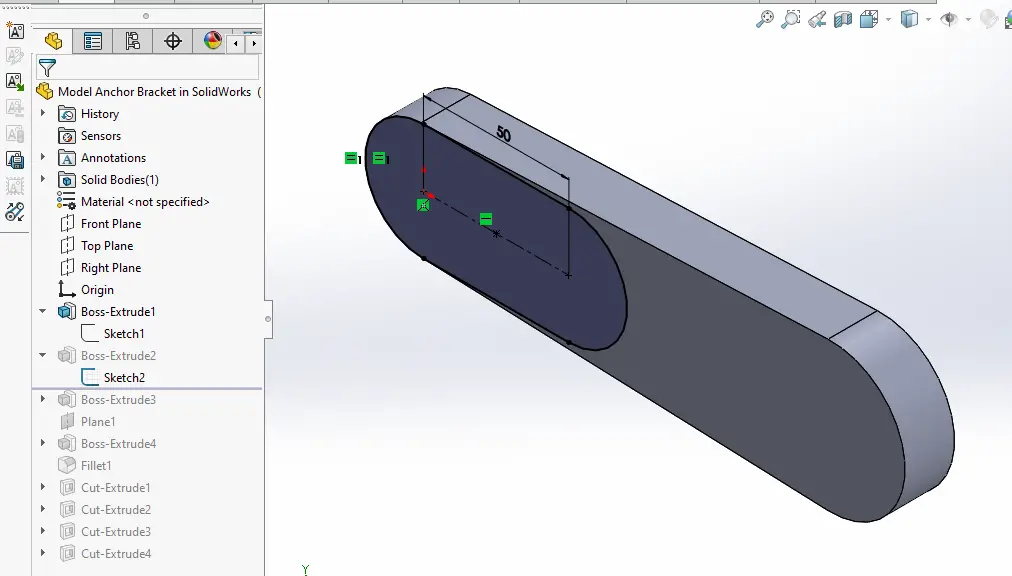
  Now select the face and create below sketch.
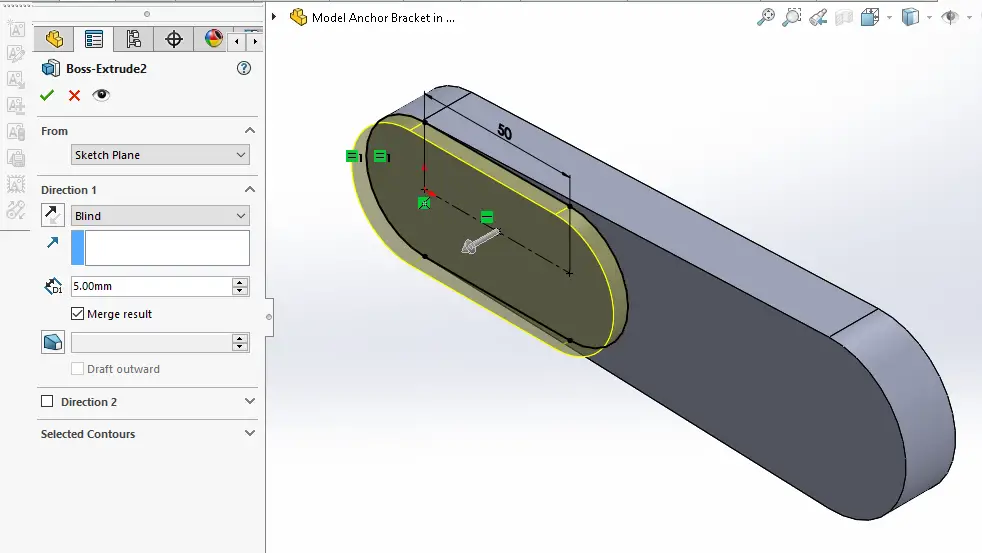
  Now create the pad of 5mm As shown in below image.
  Now Project the radius and create the diameter As shown in below image.
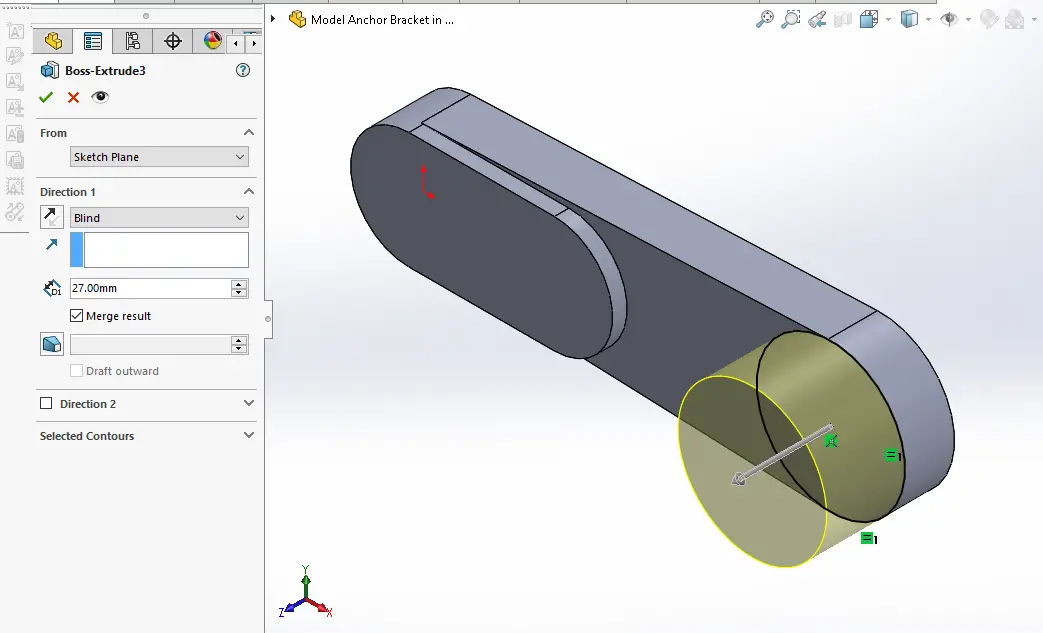
 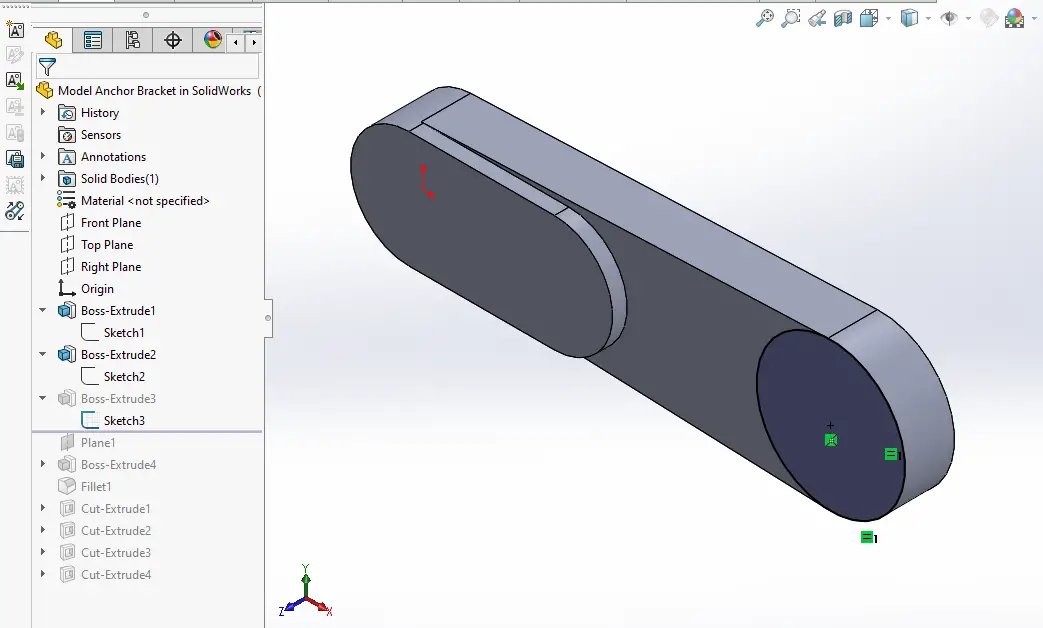 Now create the Pad of 27mm As shown in below image.
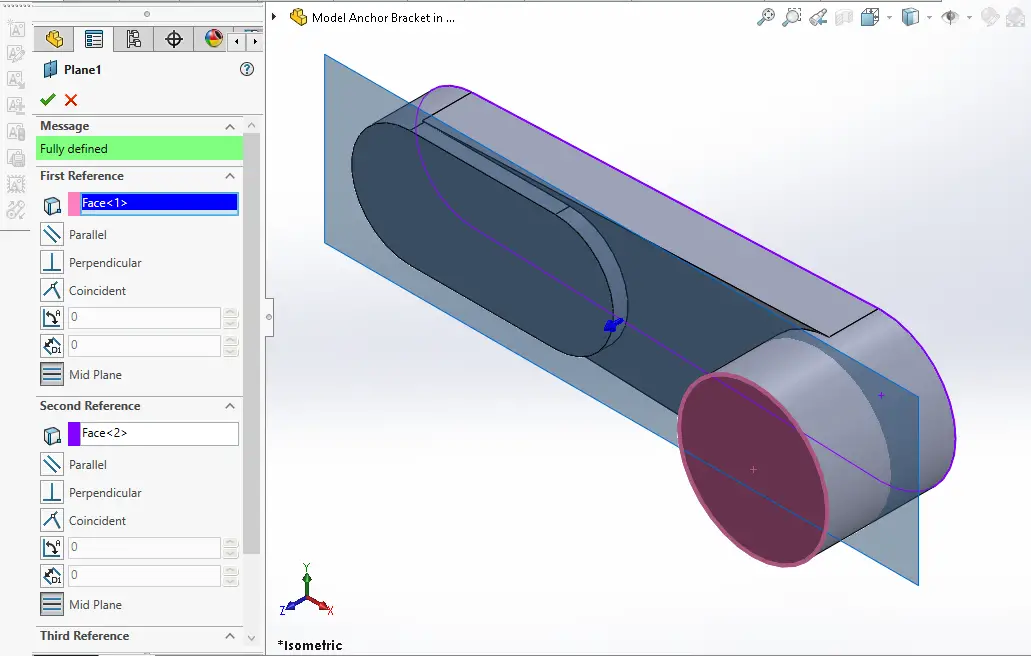
  Now create the Mid Plane as shown in below image.
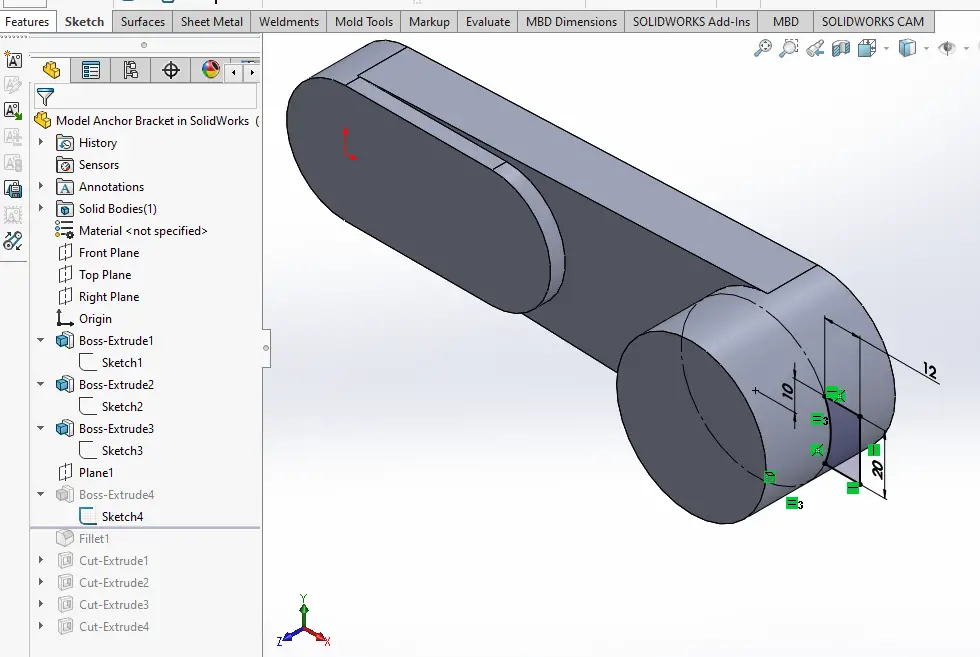
  Now select the datum plane and create below sketch.
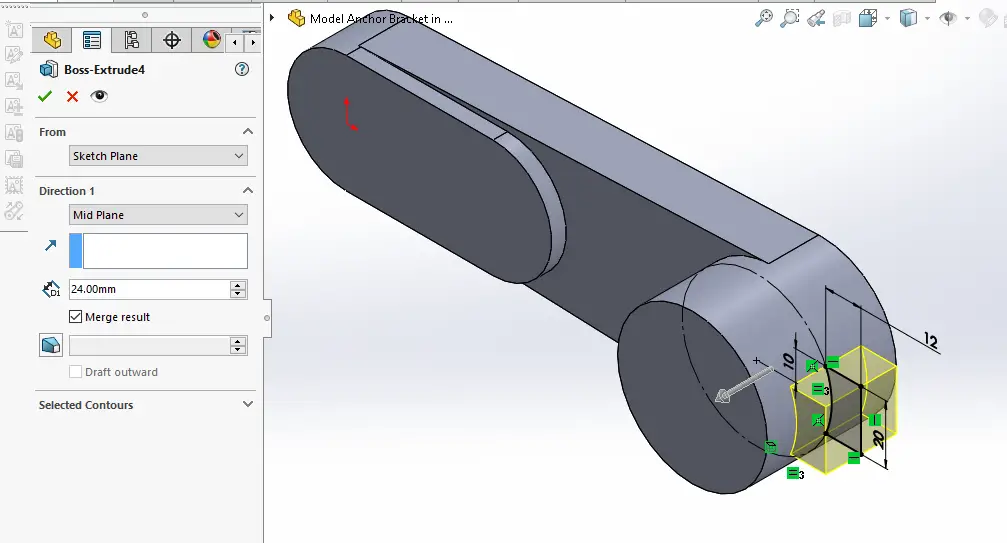
  Now create the pad of 24mm As shown in below image. set it to mid plane.
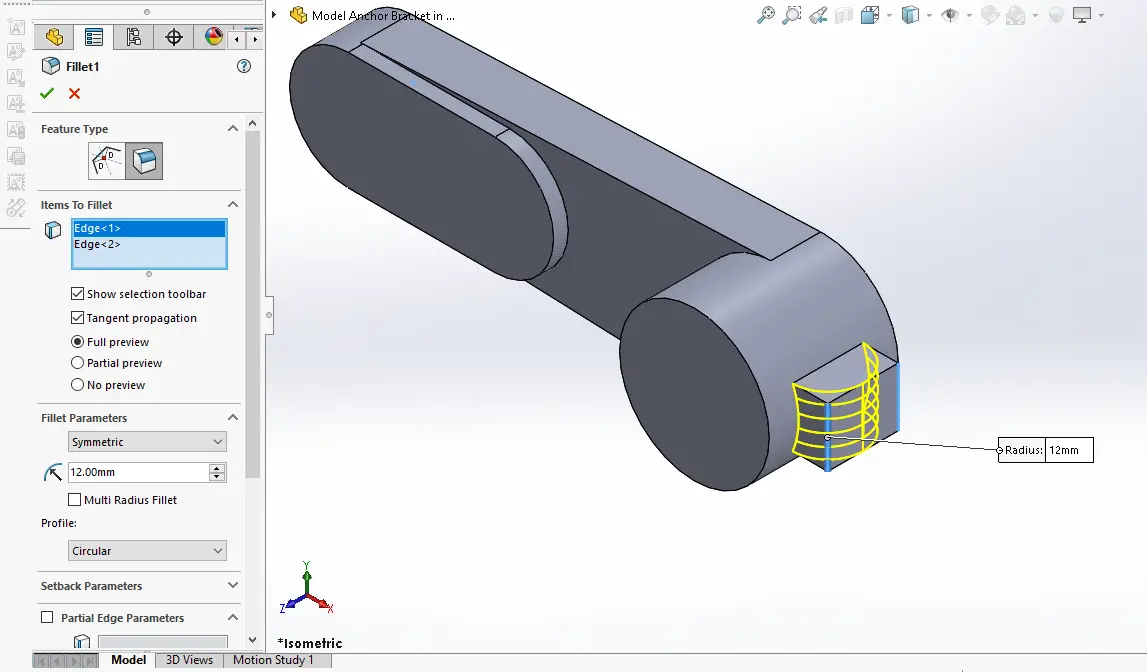
  Create the fillet 12mm As shown in below image.
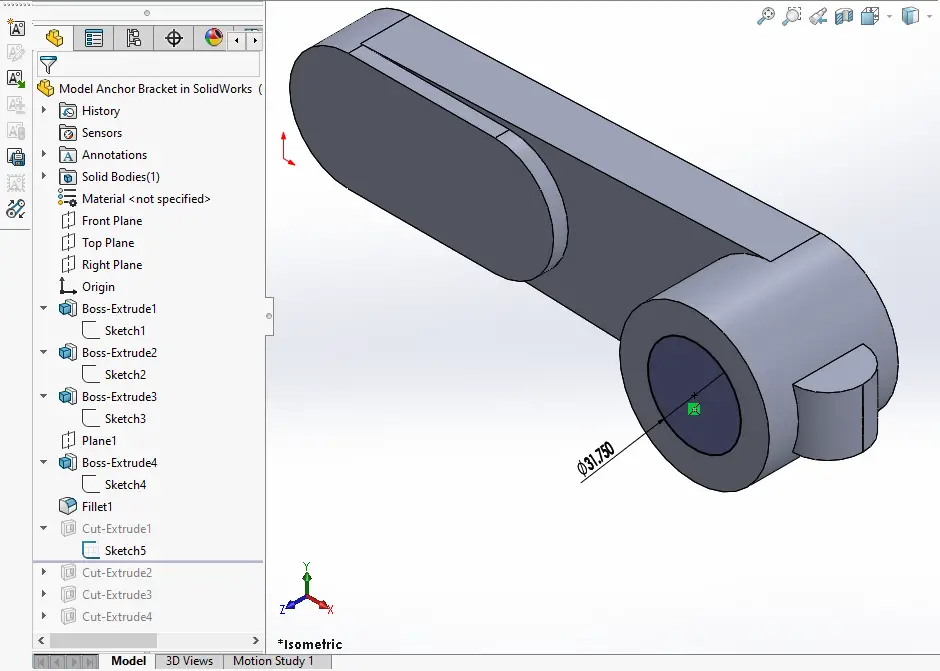
  Select the face and create below sketch
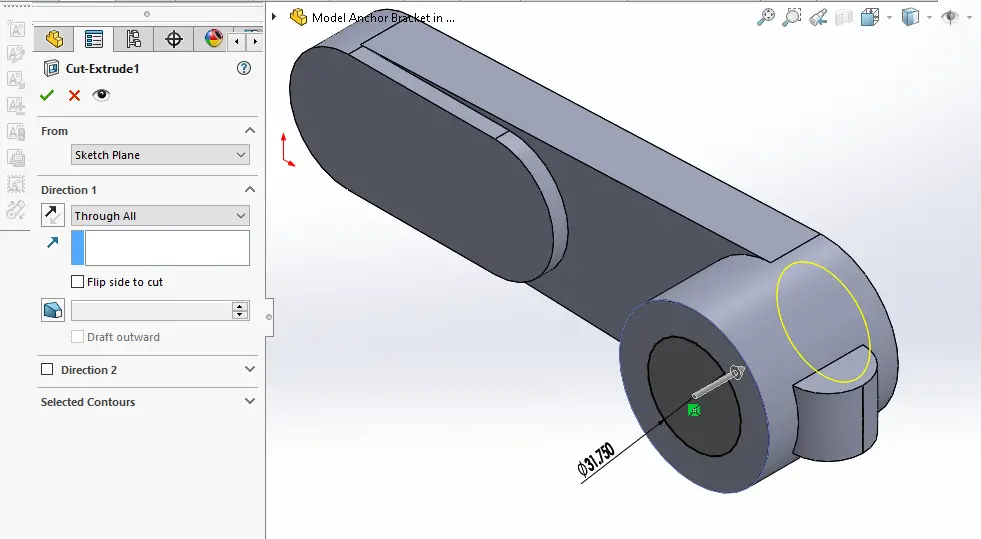
  Now Create the cut As shown in below image.
  Now Select the face and create below sketch.
 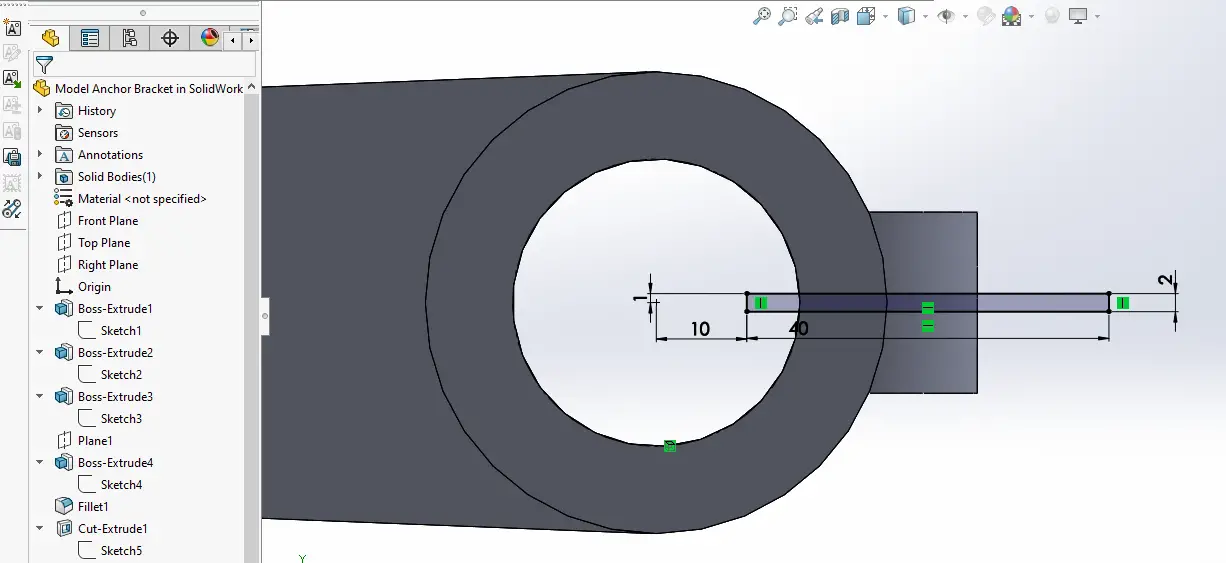 Create the cut As shown in below image.
 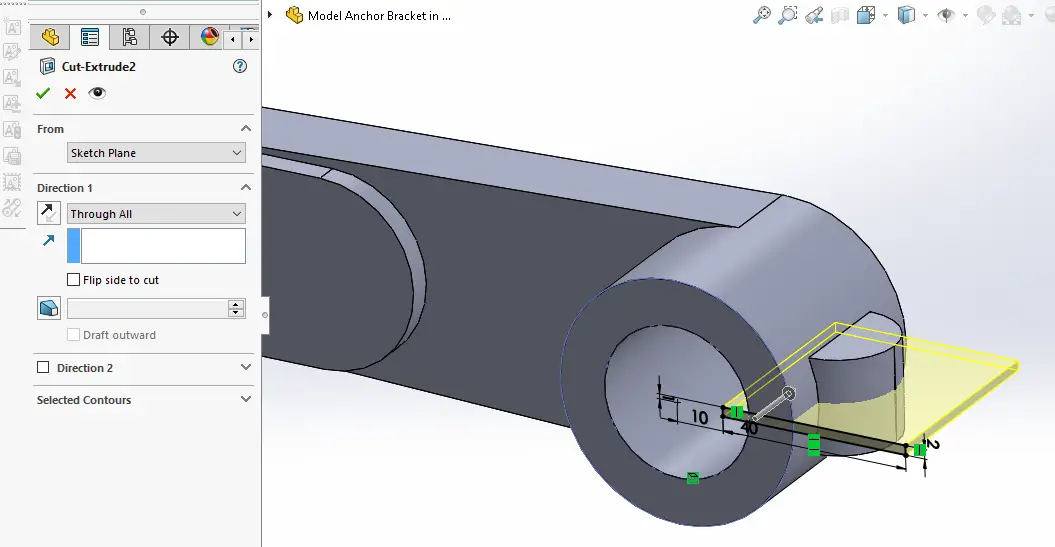 Select the face and create below sketch.
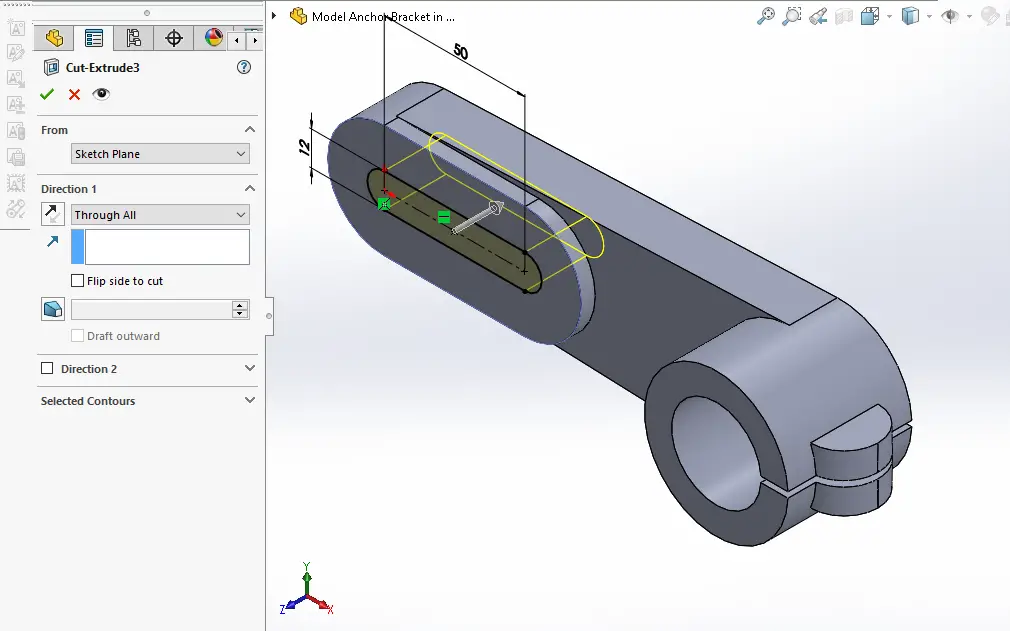
 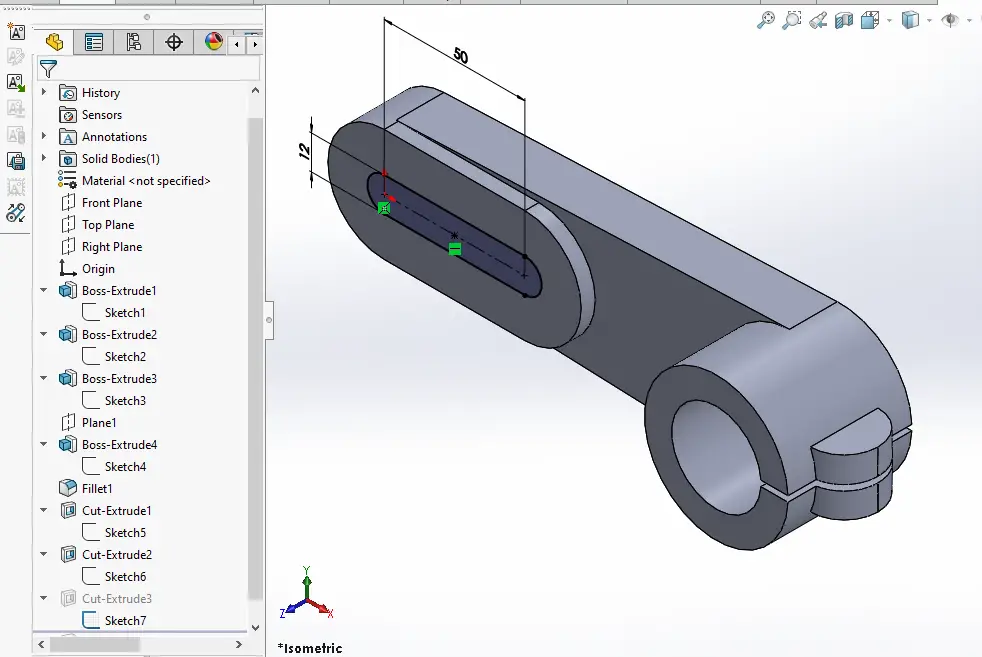 Create slotted cut As Shown in below image.
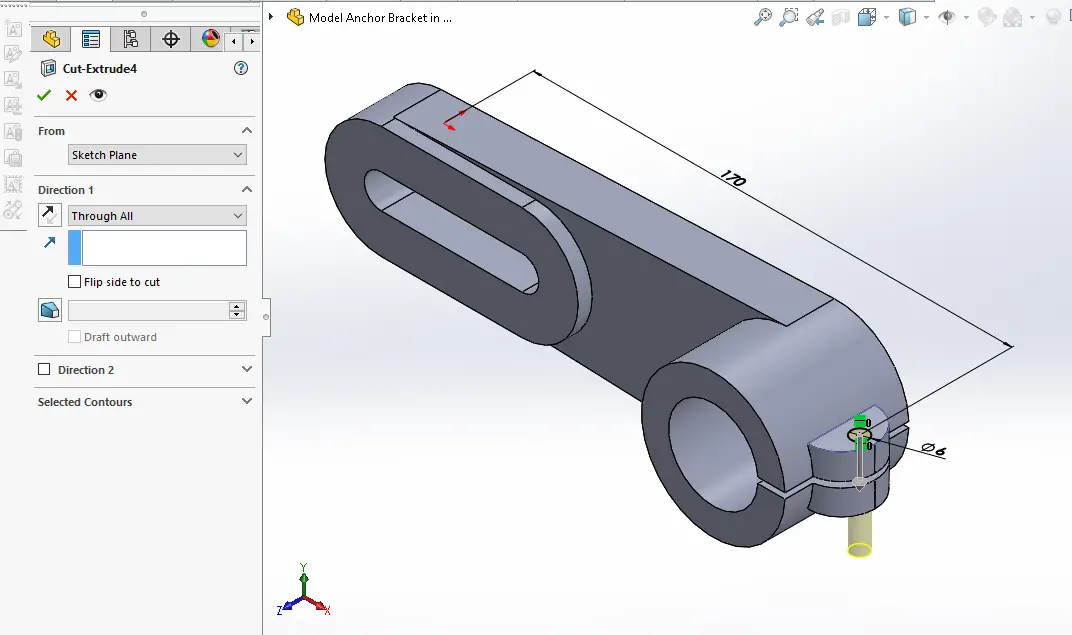
  Create the the hole sketch As shown in below image.
 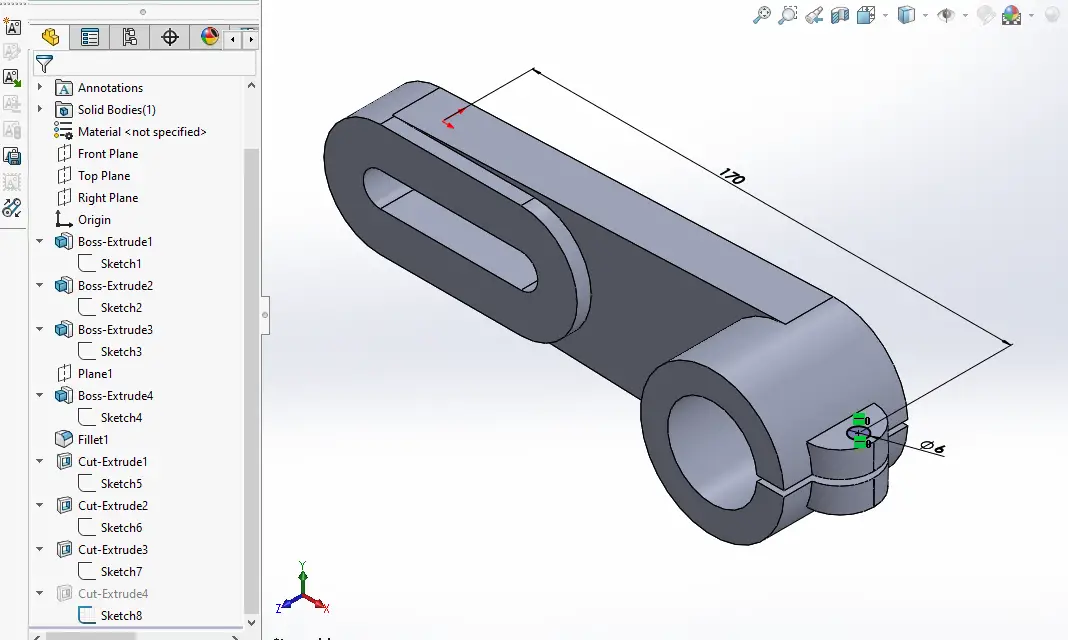 Create the Hole as shown in below image.
  “Thank you for reading! If you found this article insightful and valuable, consider sharing it with your friends and followers on social media. Your share can help others discover this content too. Let’s spread knowledge together. Your support is greatly appreciated!”